






Trusted by over 100 of the world's biggest companies








Why scheduling projects becomes complex
Organisations managing multiple projects often struggle to coordinate assignments across teams and departments. Without intelligent scheduling tools, planners must manually review availability, capability and project timelines before allocating resources.
How Retain improves scheduling decisions
Retain provides intelligent scheduling capabilities that help organisations allocate talent efficiently while maintaining visibility into workforce capacity and project demand.
Assign resources based on defined requirements
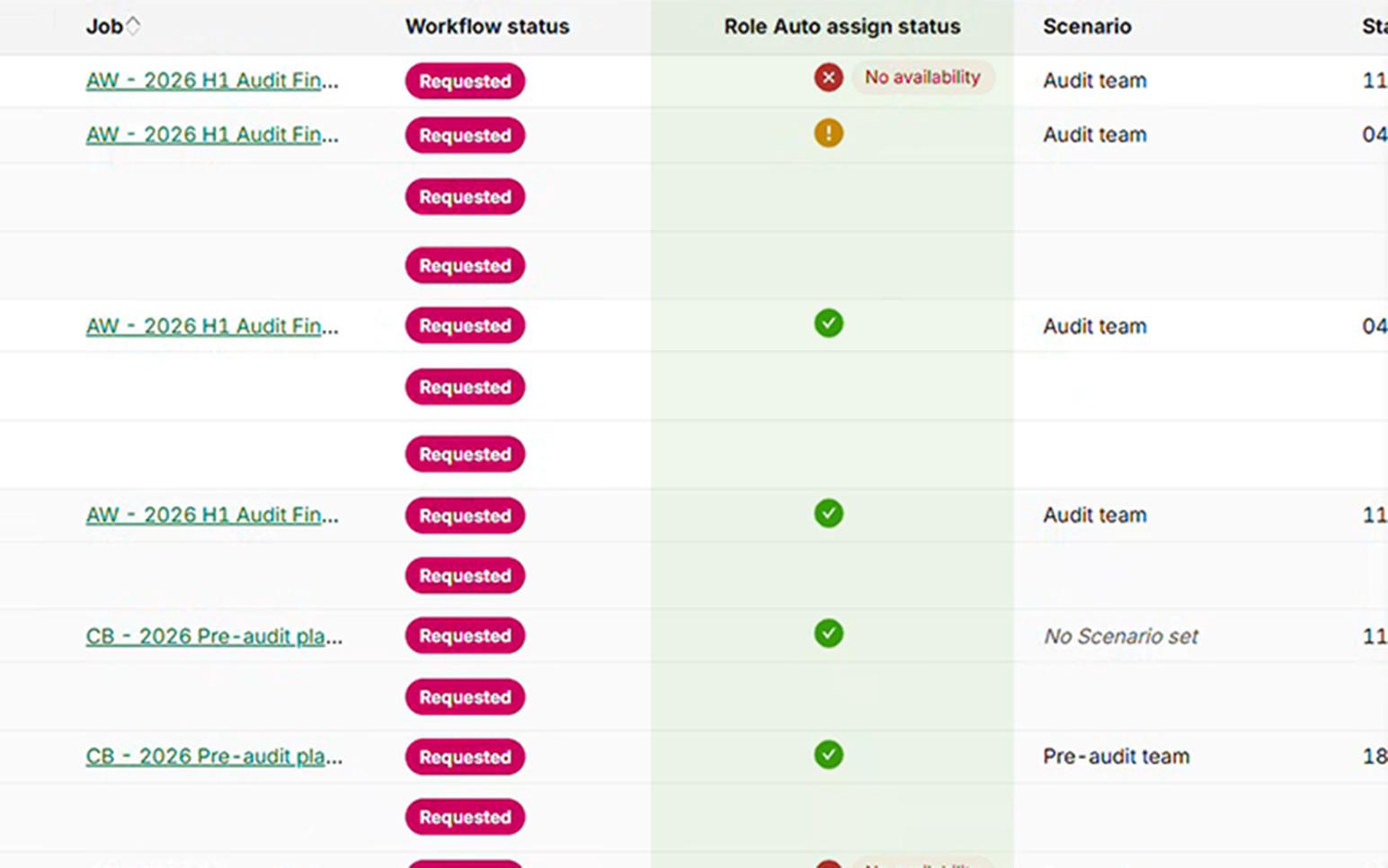
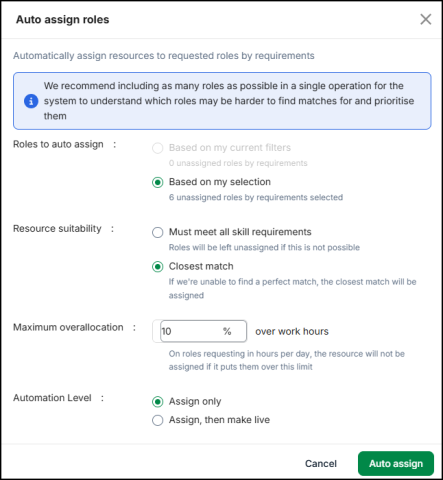
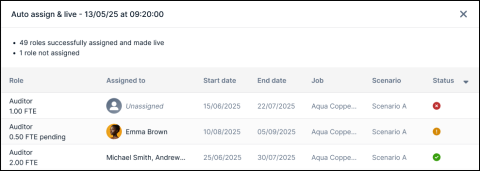
Assignments should reflect the needs of the role. Retain allows planners to assign resources based on role requirements such as skills and suitability. Roles must be in a Requested state to be included, ensuring the process is applied only where allocation is needed. This improves consistency and ensures assignments align with defined criteria.
Allocate multiple roles in a single action
High volumes of work require efficient allocation. Retain allows multiple requested roles to be selected and processed together. This enables planners to assign resources across several roles in a single action, reducing manual effort and speeding up allocation. This supports faster delivery while maintaining structure.
Run auto assignment as a background task
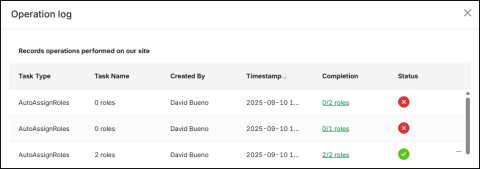
Large allocation actions should not disrupt performance. Retain runs automated assignment as a background task, allowing high volumes of roles to be processed without impacting system performance. Progress can be monitored through the operation log. This enables scalable allocation across teams and engagements.
Business Impact
Automated scheduling improves the speed and accuracy of resource allocation decisions. By reducing manual planning effort and improving visibility into workforce capacity, organisations can coordinate project delivery more effectively.
Organisations can:


Book Your Demo Today
See how Retain helps you improve utilisation, plan projects with confidence, and deliver work more efficiently.
What is resource management reporting and analytics?
Resource management reporting provides organisations with insights into how talent is allocated across projects, how effectively capacity is used and how delivery performance impacts financial outcomes. Analytics dashboards allow organisations to monitor utilisation, track project costs and forecast revenue using operational planning data.
FAQs
No. Retain supports automated assignment based on defined rules, but users remain in control. Assignments can be reviewed, adjusted, and confirmed before being made live.
Only roles in a Requested state can be included. Roles that are partially assigned or in other states are excluded from the process.
Yes. Planners can select multiple requested roles and process them in a single action, allowing faster allocation across engagements.
Retain uses structured data such as skills, availability, and role requirements to identify suitable resources. Planners can choose between strict matching or closest match options.
Yes. Planners can define suitability rules, set overallocation limits, and choose whether assignments are created or made live.
Yes. All activity is recorded in the operation log. Progress can be monitored, and actions can be undone, returning roles to an unassigned state.